How to Redeem Fling to Climb Codes
Exact PC and mobile steps so free coins and rolls actually land in your inventory.
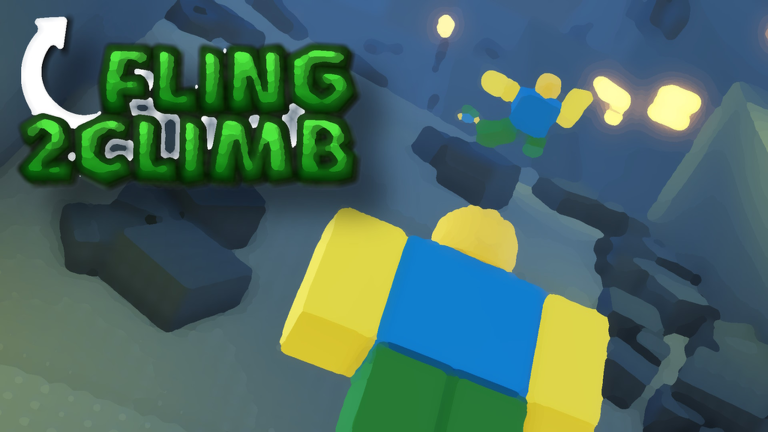
Redeeming Fling to Climb codes should take under a minute once you know where the Codes button lives. This walkthrough covers PC and mobile Roblox, common failure messages, and how to confirm rewards arrived before you leave the lobby.
Before you redeem
- Launch Fling to Climb! from the official Roblox place (not a copycat experience).
- Wait until the main UI finishes loading — redeeming during the join screen often fails silently.
- Keep the latest working list open on the Codes Hub so you paste the correct string.
- Prefer a stable connection; mid-redeem disconnects can look like “already used” errors.
PC redemption steps
- Join a server and switch to first-person if the game prompts you (recommended for climbing later).
- Open the Codes or Shop UI from the on-screen buttons (usually near Shop / Inventory).
- Click the Codes field and paste one code exactly — no spaces before or after.
- Confirm / Redeem. Watch for a success toast mentioning coins, rolls, or a skin.
- Open Inventory to verify cosmetics, then check your coin counter for currency rewards.
Mobile redemption steps
- Join on Roblox mobile with enough free storage so the experience fully loads.
- Tap the Codes entry in the same Shop / gift area used on PC.
- Long-press to paste; mobile keyboards often add a trailing space — delete it.
- Redeem, then rotate the device if needed so the success banner is visible.
- Equip any new skin from Inventory before you start climbing so you do not forget it mid-run.
Troubleshooting failed codes
| Message / symptom | Likely cause | Fix |
|---|---|---|
| Invalid / Incorrect | Typo or wrong game | Re-copy from the Codes Hub |
| Expired | Code window closed | Remove it from your list; wait for new drops |
| Already redeemed | Account already claimed it | One redeem per account is normal |
| Nothing happens | UI not ready / lag | Rejoin, wait for UI, try once more |
| Asking for password off-site | Phishing | Close the site immediately |
Safety rules
Never redeem on websites that ask for your Roblox password, cookie, or “.ROBLOSECURITY”. Official redemption always happens inside the experience or Roblox’s own surfaces. If a Discord DM promises “unlimited codes” after you log into a fake portal, it is a scam.
What to do after a successful redeem
Spend coins intentionally. New players should read coins and skins before dumping everything into low-value rolls. If a code grants free rolls or luck, consider saving them for when you understand the inventory loop. Pair rewards with the game passes guide so you do not buy a pass that overlaps a code you just claimed.
Related wiki links
- Track live strings on the Codes Hub.
- Tune aim before climbing with controls and sensitivity.
- Plan a clean run using the climb checklist.
- Join community channels via Discord and community for official code drops when they happen.
Redeeming is the easy part. Keeping height on ice and lava sections is the hard part — jump next into obstacles once your free coins are secured.
Frequently Asked Questions
Quick answers to the most common questions.
Can I redeem the same code twice?
Almost never. Roblox promo codes are typically one redeem per account. A second attempt usually returns already redeemed.
Do I need Robux to redeem codes?
No. Promo codes are free. Robux is only required if you choose to buy game passes or limited shop items.
Why does paste fail on mobile?
Mobile keyboards often insert a trailing space or autocorrect the string. Delete extra characters and try again.
Where should I look for new codes first?
Check this wiki’s Codes Hub, the Roblox experience description after updates, and the official communication server linked from the game page.